Most LED strip failures are not random.
In real installations, the root cause is usually one of five things: power, voltage drop, wiring, control compatibility, or installation method. Practical troubleshooting guides consistently treat voltage mismatch, insufficient power, connection issues, and dimmer/controller incompatibility as the first checks because they account for a large share of strip-light failures.
This guide is built to help buyers, installers, and project teams find the fault faster. Instead of replacing parts too early, start with the symptom, confirm the likely cause, and then fix the right point in the system.
Quick Diagnostic Table: 45 Common LED Strip Problems
| No. | Problem | Most Likely Cause | First Thing to Check |
|---|---|---|---|
| 1 | LEDs are flashing | Power supply overload | Driver wattage vs strip load |
| 2 | Small RGB/RGBW areas show wrong color | Failed segment | Same issue between cut points |
| 3 | RGBW and RGB strips look different | Different binning/spec | Model and batch |
| 4 | Strip is extremely hot | Overvoltage or poor cooling | Input voltage |
| 5 | Strip trips breaker | Short, overload, bad driver | AC load and wiring |
| 6 | Brightness drops toward the end | Voltage drop | Run length |
| 7 | Burning smell while strip is coiled | Heat trapped on reel | Whether strip was powered rolled up |
| 8 | Patchy inconsistent colors | Uneven voltage or damaged segment | Position of patch |
| 9 | Strip does not light at all | No power or wrong voltage | PSU output |
| 10 | RGB/W only shows weak red glow | Controller mismatch | Controller type |
| 11 | RGB colors are all wrong | Miswired channels | R/G/B/W order |
| 12 | Adhesive keeps failing | Dirty surface, heat | Mounting surface |
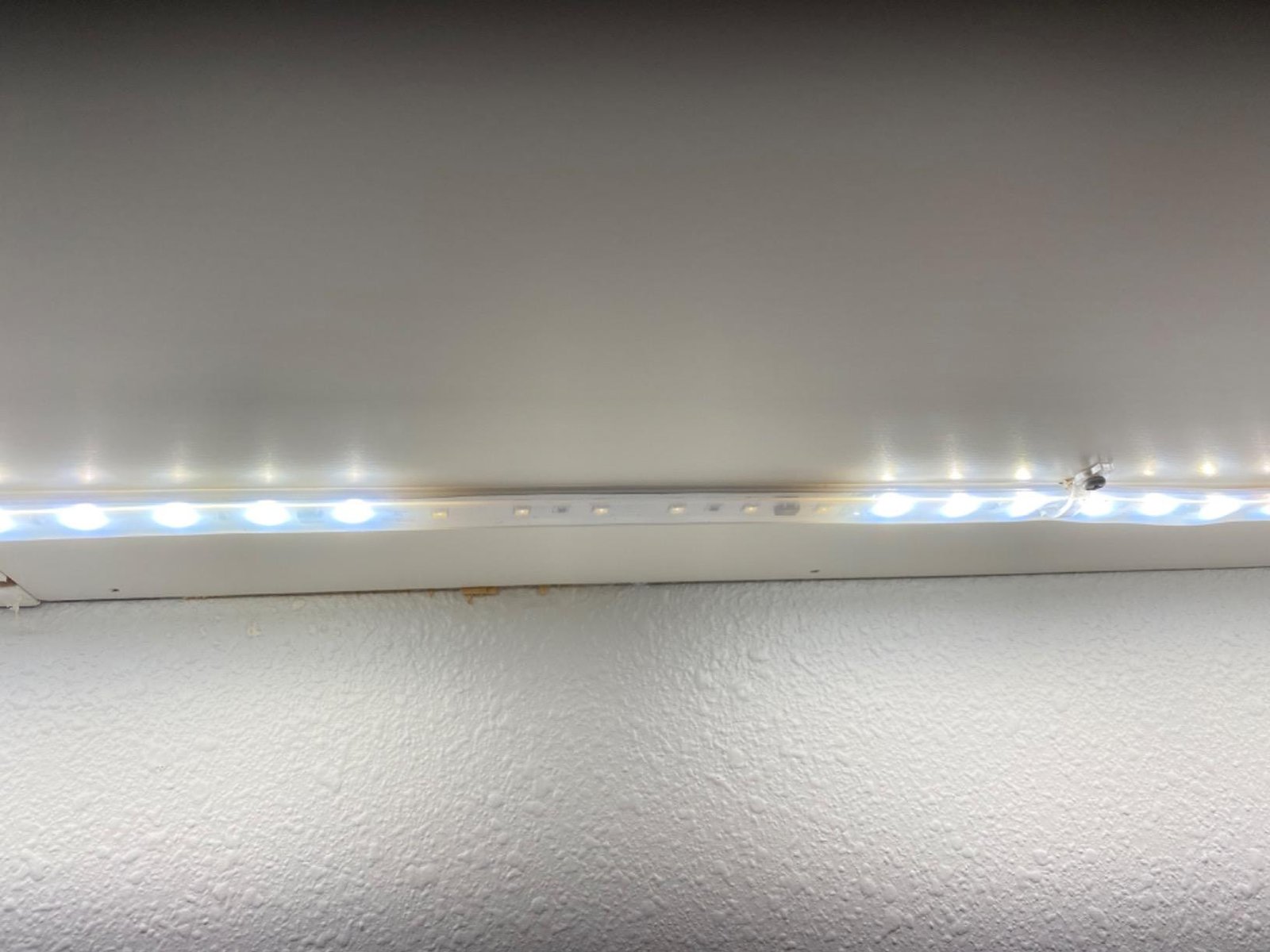
| 13 | Parts of strip do not light up | Segment or connector fault | Dead section location |
| 14 | Strip shows wrong color | Channel issue or controller issue | Pure color test |
| 15 | Strip will not turn on | Supply, polarity, cut issue | Voltage and polarity |
| 16 | Strip will not turn fully off | Bad dimmer or leakage current | Remove dimmer |
| 17 | Strip only emits red, green, or blue | Missing color channels | Channel continuity |
| 18 | Remote does not work | Battery or controller issue | Remote battery |
| 19 | Connector does not work | Bad contact or wrong size | Pad alignment |
| 20 | Strip is stuck on one color | Controller failure | Reset controller |
| 21 | End color looks different | Voltage drop | End voltage |
| 22 | Problems after cutting strip | Wrong cut point | Copper pad condition |
| 23 | Strip only lights when touched | Intermittent joint | Pressure-sensitive section |
| 24 | Strip or driver buzzes | Driver or dimmer issue | Noise source |
| 25 | Strip flickers | Bad dimmer, poor power | Test without dimmer |
| 26 | Strip is not bright enough | Undervoltage or wrong strip | Voltage under load |
| 27 | One end is dim | Voltage drop | Feed method |
| 28 | Strip dims over time | Aging, heat, voltage loss | Input voltage and temp |
| 29 | One portion stays dark | Failed segment | Segment boundaries |
| 30 | Dynamic effects do not run | Wrong mode or controller | Controller settings |
| 31 | Strip too hot to touch | Overheating | Mounting and voltage |
| 32 | Strip turns on, then off | Driver protection | Driver heat/load |
| 33 | Entire strip is off | Wrong PSU or failed PSU | Direct short-section test |
| 34 | Several sections are off | PCB or solder fault | Repeated segment failure |
| 35 | One LED is off in a lit section | Burned chip | LED package damage |
| 36 | Same CCT looks different | Tint/binning variation | Different LED Bin and supplier |
| 37 | Warm white looks greenish | DUV/tint issue | Side-by-side compare |
| 38 | End looks reddish on RGB + white mix | Uneven channel voltage drop | End-of-run voltage |
| 39 | Strip keeps falling down | Adhesive or heat issue | Surface prep |
| 40 | One RGB/RGBW color is missing | Open color channel | Single channel test |
| 41 | End of SPI strip is not lit | Pixel limit or data issue | Controller pixel setting |
| 42 | Strip cannot be dimmed | Wrong dimmer/control type | Dimming compatibility |
| 43 | Outdoor strip failed after rain | Water ingress | End caps and joints |
| 44 | Visible LED dots / hotspots | Low density or wrong profile | LED density |
| 45 | Outdoor connector fails intermittently | Corrosion or moisture | Connector condition |
Before You Troubleshoot Any LED Strip
Before checking a specific symptom, verify these basics:
1. Match strip voltage and power supply voltage
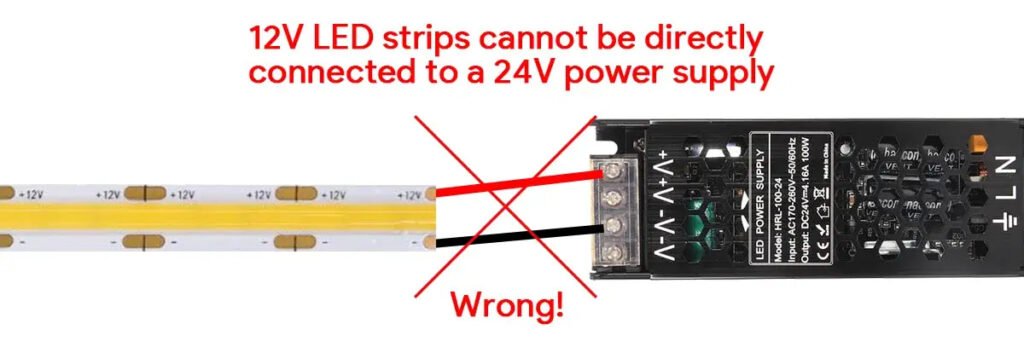
A 12V strip must use a 12V DC supply. A 24V strip must use a 24V DC supply. Using the wrong voltage can cause dim output, overheating, or immediate failure.
2. Leave power supply headroom
Do not size the power supply exactly equal to the strip load. A loaded supply may work briefly, then flicker, cycle, or shut down under heat.
3. Check polarity
Reversed polarity is still one of the most common reasons a strip appears dead after installation.
4. Check run length
Long runs cause voltage drop, especially on 12V strips and higher-wattage products. Voltage drop is one of the most common reasons strips become dim or discolored toward the far end.
5. Check controller and dimmer compatibility
A strip, dimmer, driver, and controller must all work with the same control method. Incompatible dimming and control hardware is a major cause of flicker, wrong color, unstable brightness, or failure to dim.
45 LED Strip Problems, Causes, and Fixes
1. LEDs Are Flashing
Symptom
The strip turns on and off repeatedly in a rhythmic way.
Likely cause
The power supply is overloaded or unstable.
How to confirm
Compare strip wattage to power supply wattage. Then disconnect part of the load and see whether the flashing stops.
Fix
Use a higher-capacity power supply, split the load, or shorten the powered run. Rhythmic flashing often means the driver is entering overload protection and resetting.
2. Small RGB/RGBW Areas Show the Wrong Color
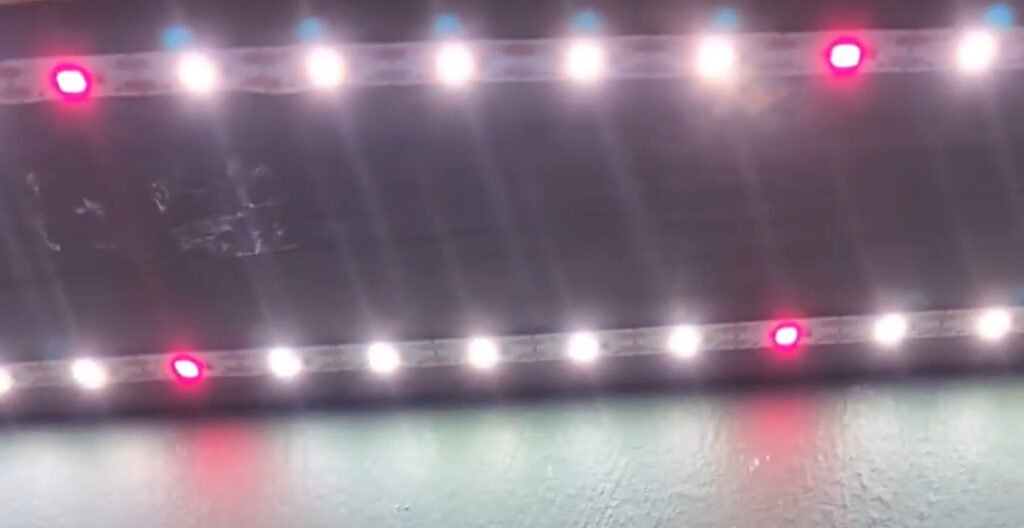
Symptom
Most of the strip works, but one small section shows the wrong color.
Likely cause
A failed LED package, bad resistor, or weak solder joint inside one segment.
How to confirm
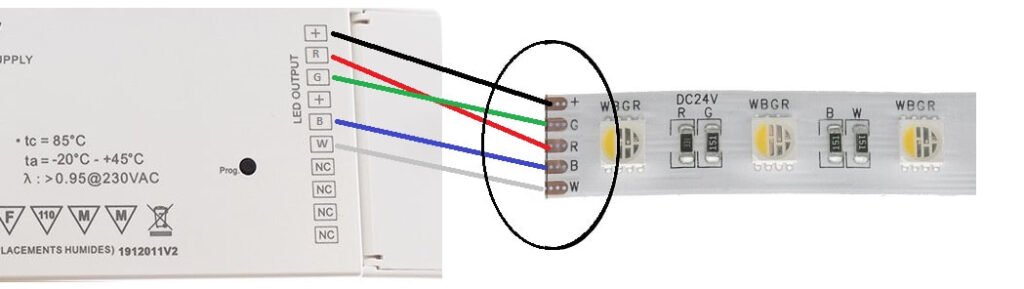
Set the strip to pure red, green, blue, and white one at a time. The damaged segment usually reveals which channel is weak or dead.
Fix
Cut out and replace that segment, or resolder the damaged area if the pads are still intact. Segment-level color faults are usually local, not whole-strip failures.
3. RGBW and RGB Strips Look Different
Symptom
Two strips with similar settings do not visually match.
Likely cause
Different LED bins, different phosphor/tint behavior, or different product families.
How to confirm
Check whether both strips are from the same supplier, same batch, and same exact model.
Fix
Do not assume “same CCT” or “same RGBW” means a visual match. Standardize supplier, batch, and product family where consistency matters.
4. Strip Is Extremely Hot
Symptom
The strip becomes too hot to touch after running.
Likely cause
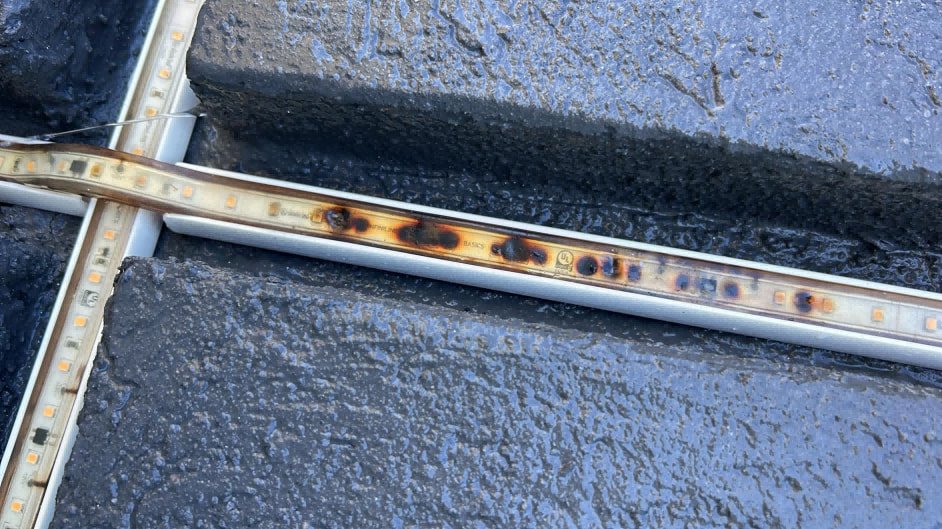
Wrong voltage, insufficient heat dissipation, or powering the strip while still coiled.
How to confirm
Measure the voltage at the strip input. Then check whether the strip is mounted on a thermally poor surface or still on the reel.
Fix
Correct the voltage, unroll the strip before powering, and mount higher-power strips in aluminum profile or on a heat-dissipating surface. Overheating shortens LED life and weakens adhesive.
5. Strip Trips the Breaker
Symptom
The breaker trips when the strip or power supply is energized.
Likely cause
A short circuit, power supply fault, inrush current problem, or overloaded AC circuit.
How to confirm
Disconnect the strip from the driver and test the driver alone. Then reconnect a short strip section.
Fix
Inspect for shorts, reduce the load on the circuit, or replace the driver if the fault follows the driver.
6. Brightness Drops Toward the End
Symptom
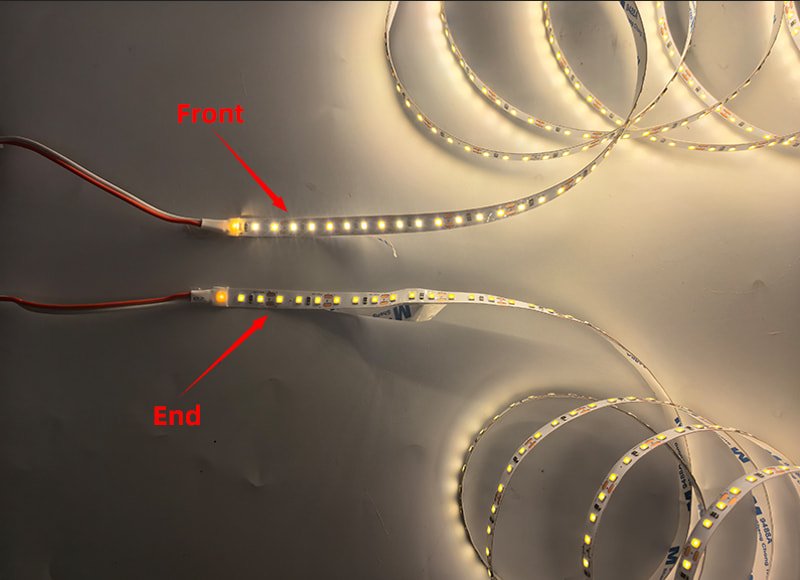
The beginning looks bright, but the far end is dimmer.
Likely cause
Voltage drop.
How to confirm
Measure voltage at the strip input and again at the far end while the strip is on.
Fix
Inject power at the far end, feed both ends, shorten the run, use a thicker cable, or move from 12V to 24V. Voltage drop becomes more visible on longer runs and higher current.
7. Burning Smell While Strip Is Coiled
Symptom
The strip smells hot or burnt during testing.
Likely cause
Heat is trapped because the strip is still rolled up.
How to confirm
Check whether the strip was energized while still on the reel.
Fix
Always unroll the strip before testing for more than a short moment. High-density strips heat up quickly when coiled.
8. Patchy Inconsistent Colors
Symptom
Color changes unevenly in patches across the strip.
Likely cause
Uneven voltage, local segment damage, or poor strip consistency.
How to confirm
See whether the same patches always appear in the same positions. If yes, the issue is physical/electrical. If not, it may be control-related or product inconsistency.
Fix
For position-based issues, inspect the affected segments and local feed points. For batch-wide inconsistency, compare reels side by side before installation.
9. Strip Does Not Light at All
Symptom
No light anywhere on the strip.
Likely cause
No power, wrong voltage, reversed polarity, or failed strip.
How to confirm
Measure DC output from the power supply, then test a short piece of strip directly from the supply.
Fix
Correct the supply voltage, fix polarity, or replace the failed driver/strip. Full blackout should always start with the power side.
10. RGB/W Only Shows a Weak Red Glow
Symptom
Instead of normal output, the strip only shows a faint red or reddish glow.
Likely cause
Wrong controller type, failed common connection, or severe channel mismatch.
How to confirm
Check whether the controller is truly made for the strip type and test each channel separately.
Fix
Replace the controller with a compatible model and recheck the common positive/negative wiring. Controller-strip mismatch is a common cause of strange RGB behavior.
11. RGB Colors Are All Wrong
Symptom
You select one color, but the strip shows another.
Likely cause
The RGB/RGBW channels are wired to the wrong terminals.
How to confirm
Set pure red, green, and blue one by one. See which physical channels respond.
Fix
Rewire the strip so the controller’s R, G, B, and W outputs match the strip pad labels exactly.
12. Adhesive Keeps Failing
Symptom
The strip falls off the mounting surface.
Likely cause
Dirty surface, rough texture, heat buildup, or weak tape backing.
How to confirm
Check whether the surface was cleaned and dried before installation. Also check strip temperature.
Fix
Clean the surface thoroughly, reduce heat, and add clips or profile where needed. Adhesive-backed strips perform much better on smooth, clean, dry surfaces.
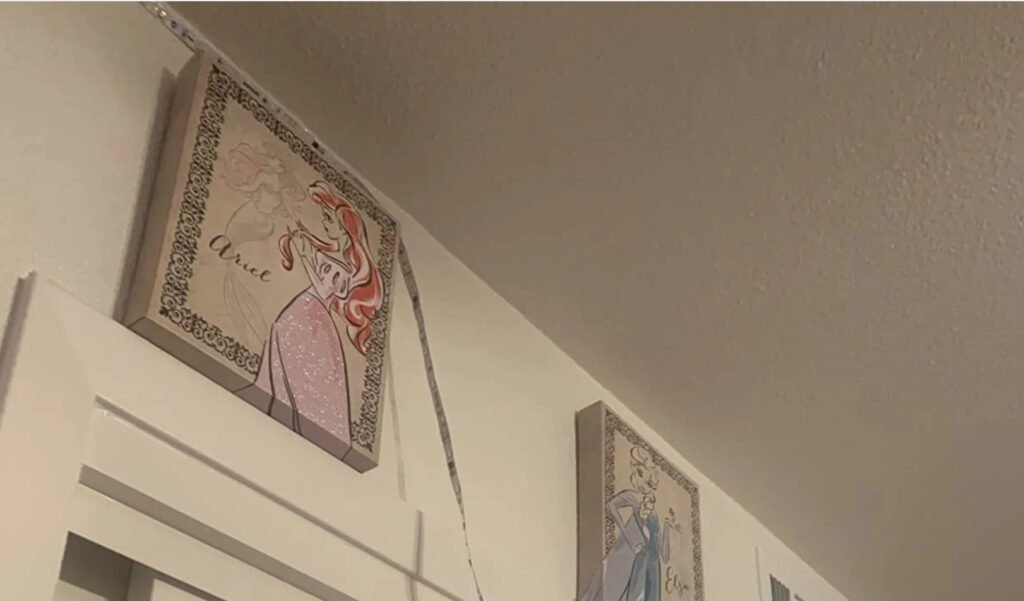
13. Parts of Strip Do Not Light Up
Symptom
One or more short areas are dark.
Likely cause
A failed segment, broken trace, or failed connector.
How to confirm
Check whether the dark area matches one repeating cut segment.
Fix
Replace the dead segment or remake the connection at the nearest cut point.
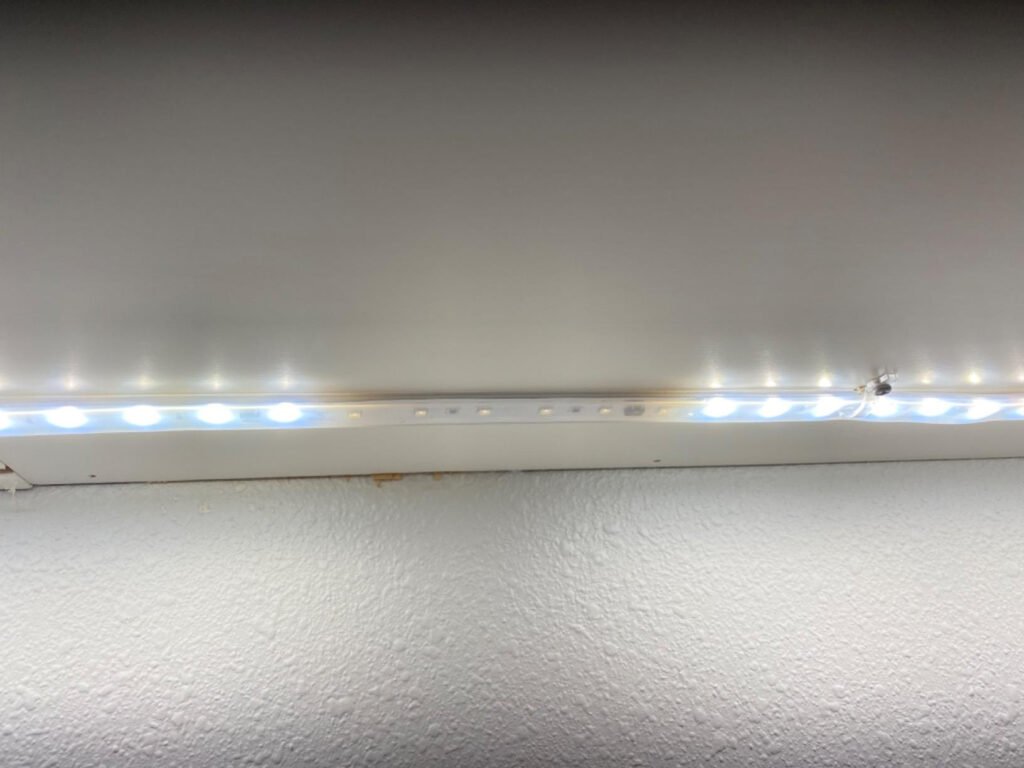
14. Strip Shows the Wrong Color
Symptom
The strip lights, but the color output is incorrect.
Likely cause
Failed channel, wrong controller, or wrong settings.
How to confirm
Test each channel individually using pure color commands.
Fix
Correct the controller setup or replace the failed section/channel.
15. Strip Will Not Turn On
Symptom
The strip remains off immediately after installation.
Likely cause
Supply mismatch, polarity issue, connector error, or a cut-related problem.
How to confirm
Check the PSU output, polarity, and whether the strip was cut and reconnected correctly.
Fix
Start at the input end and verify each connection in order, not just visually.
16. Strip Will Not Turn Fully Off
Symptom
The strip glows faintly even when turned off.
Likely cause
Leakage current, incompatible dimmer, or a controller issue.
How to confirm
Remove the dimmer or controller from the circuit and retest.
Fix
Use a compatible LED dimmer or controller. Improper dimmer selection often causes ghost glow or incomplete shutoff.
17. Strip Only Emits Red, Green, or Blue
Symptom
Only one color channel works.
Likely cause
Two channels are open, disconnected, or failed.
How to confirm
Test each color output separately from the controller.
Fix
Repair or replace the failed channel connection or replace the affected strip/controller.
18. Remote Does Not Work
Symptom
The strip powers on, but the remote does nothing.
Likely cause
Dead battery, failed pairing, blocked IR line-of-sight, or bad controller.
How to confirm
Replace the battery first, then test from close range.
Fix
Re-pair the remote if required, and replace the controller if manual control also fails.
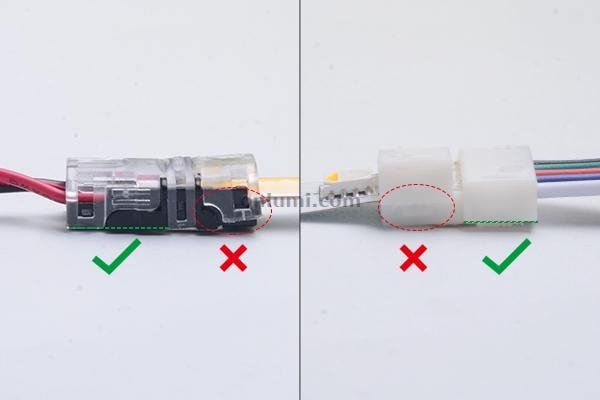
19. Connector Does Not Work
Symptom
The strip loses connection at a clip or quick connector.
Likely cause
Poor contact pressure, wrong connector width, or bad alignment.
How to confirm
Open the connector and inspect whether the copper pads line up with the metal contacts.
Fix
Use the correct connector type and width. For permanent jobs, soldered joints are more reliable than clip connectors, especially where vibration, bending, or outdoor use is involved.
20. Strip Is Stuck on One Color
Symptom
The strip stays on one color regardless of command.
Likely cause
Controller failure, app failure, or one locked output state.
How to confirm
Reset the controller and test another controller if available.
Fix
Replace the controller only after confirming the strip wiring is correct.
21. End Color Looks Different
Symptom
The far end still lights, but the color tone changes.
Likely cause
Voltage drop changes channel output before full dimming occurs.
How to confirm
Measure the voltage at the far end under load.
Fix
Add power injection or reduce run length. Far-end color shift is often an early sign of voltage drop, not a strip defect.
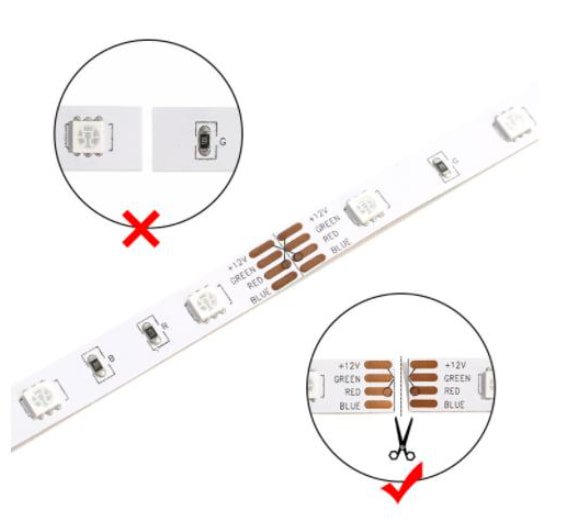
22. Problems After Cutting Strip
Symptom
The strip stops working correctly after being cut and reconnected.
Likely cause
Cutting in the wrong place, damaging pads, or making a poor reconnection.
How to confirm
Inspect the cut line. If it is off the marked point or the copper pad is damaged, that is the likely failure point.
Fix
Only cut on marked cut points, and remake the joint on clean, intact pads. Installation guides consistently emphasize designated cut marks for reliable reconnection.
23. Strip Only Lights When Touched
Symptom
The strip works briefly when pressed or touched.
Likely cause
Intermittent contact, cracked solder joint, or lifted pad.
How to confirm
Apply gentle pressure along the strip until the behavior changes.
Fix
Resolder or replace the unstable section.
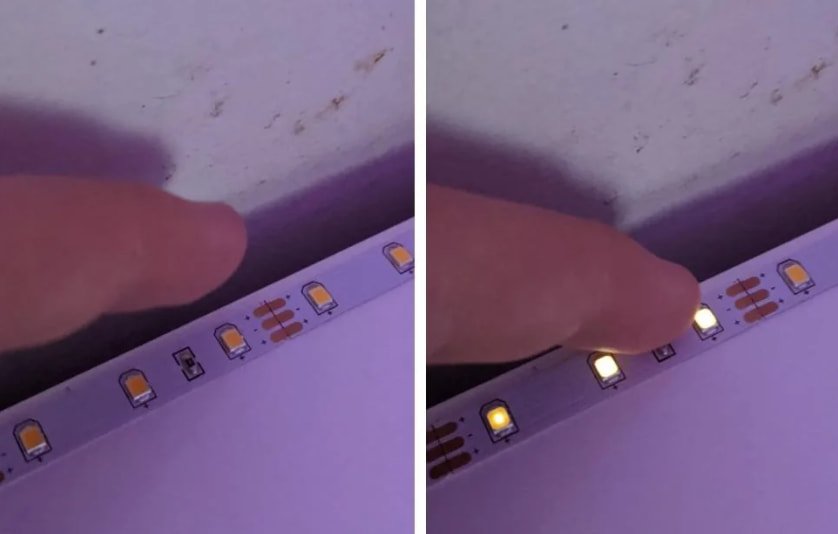
24. Strip or Driver Buzzes
Symptom
You hear buzzing when the strip is on.
Likely cause
Driver coil whine, dimmer issue, or PWM-related vibration.
How to confirm
Listen closely to identify whether the sound comes from the driver, dimmer, or strip assembly.
Fix
Replace the driver or dimmer before assuming the strip itself is defective.
25. Strip Flickers
Symptom
The strip flickers, but not always in a regular on-off pattern.
Likely cause
Dimmer incompatibility, unstable driver, weak terminal, or overloaded supply.
How to confirm
Bypass the dimmer and retest. Then test a short section directly.
Fix
Replace the dimmer with a compatible unit or stabilize the power side first.
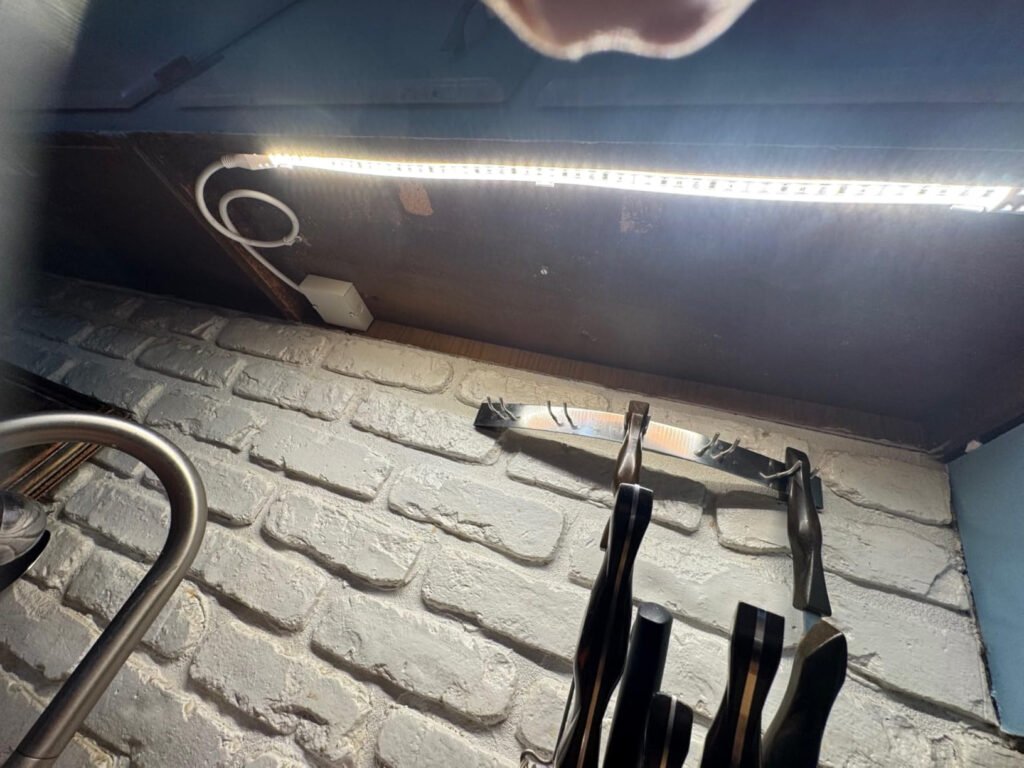
26. Strip Is Not Bright Enough
Symptom
The strip works, but output is lower than expected.
Likely cause
Undervoltage, dimmer setting, product mismatch, or optical expectation mismatch.
How to confirm
Measure voltage at the strip while fully on.
Fix
Correct the voltage, verify driver capacity, and confirm the strip specification matches the target application.
27. One End Is Dim
Symptom
One end of the strip is visibly weaker.
Likely cause
Voltage drop from a single-end feed.
How to confirm
Check whether the strip is powered from only one end and compare brightness along the run.
Fix
Feed both ends or inject power partway through the run.
28. Strip Dims Over Time
Symptom
The strip was brighter before, but output gradually decreased.
Likely cause
Thermal stress, driver aging, accumulated voltage loss, or LED lumen depreciation.
How to confirm
Measure voltage and inspect whether the strip has been operating hot.
Fix
If voltage is correct but brightness has still dropped, suspect product aging or heat damage. If voltage is low, fix the power path first.
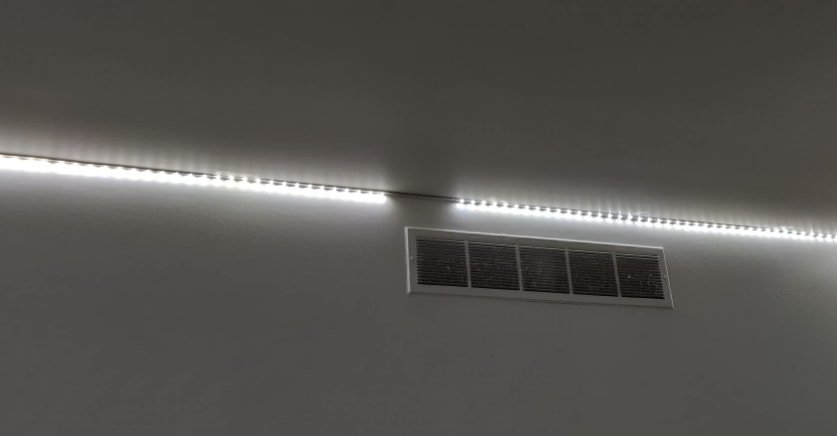
29. One Portion Stays Dark
Symptom
A single section is permanently dark while the rest works.
Likely cause
Segment failure or broken trace.
How to confirm
Check whether the dark section begins and ends at natural segment boundaries.
Fix
Replace that portion rather than the whole reel.
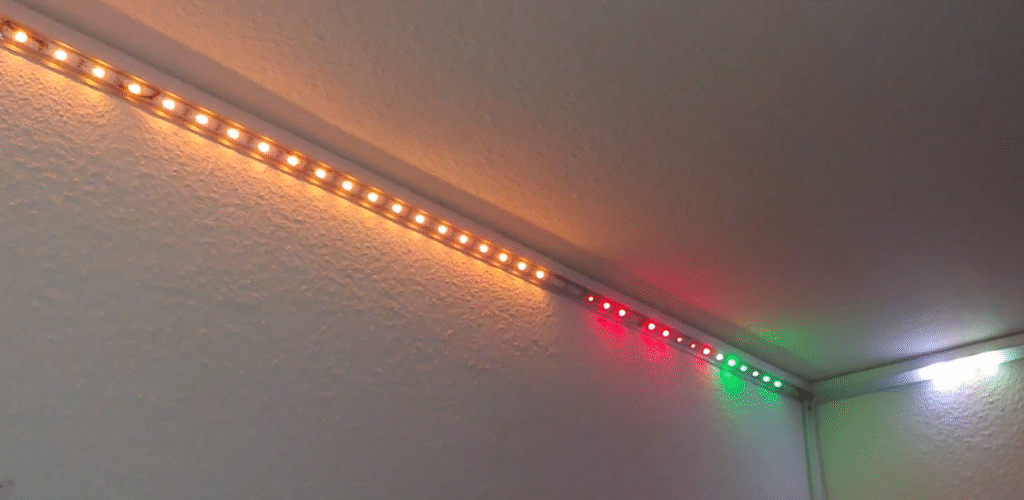
30. Dynamic Effects Do Not Run
Symptom
The strip lights, but chase or flash effects do not work.
Likely cause
Wrong controller mode, dimmer in circuit, or control setup problem.
How to confirm
Check whether a dimmer is still installed and whether the controller is in static mode.
Fix
Use the correct effect mode and remove incompatible dimmers.
31. Strip Too Hot to Touch
Symptom
After running, the strip cannot be safely touched.
Likely cause
Same core issue as overheating: overvoltage or poor heat dissipation.
How to confirm
Measure voltage and inspect mounting.
Fix
Shut it down until the voltage and thermal mounting are corrected.
32. Strip Turns On, Then Off
Symptom
The strip lights briefly, then shuts down.
Likely cause
Driver overload or thermal protection.
How to confirm
Reduce the load and retest. If the behavior improves, the driver is likely the weak point.
Fix
Use a larger supply or separate the load.
33. Entire Strip Is Off
Symptom
The whole strip is dead.
Likely cause
Wrong PSU, failed PSU, reversed polarity, or failed strip input.
How to confirm
Test a short known-good piece directly from the PSU.
Fix
Replace the failed PSU or remake the strip input connection. Full-strip failure should always start with supply verification.
34. Several Sections Are Off
Symptom
Multiple sections fail at different points.
Likely cause
Repeated PCB damage, bad solder quality, or physical abuse.
How to confirm
Inspect for cracked pads, repeated connector use, or sharp bending points.
Fix
If failures are spread out, replacing the reel is often more reliable than repairing many small faults.
35. One LED Is Off in a Lit Section
Symptom
A single LED stays dark while nearby LEDs still work.
Likely cause
Burned chip or internal bond-wire failure.
How to confirm
Inspect the LED package for dark marks or obvious damage.
Fix
Replace that segment.
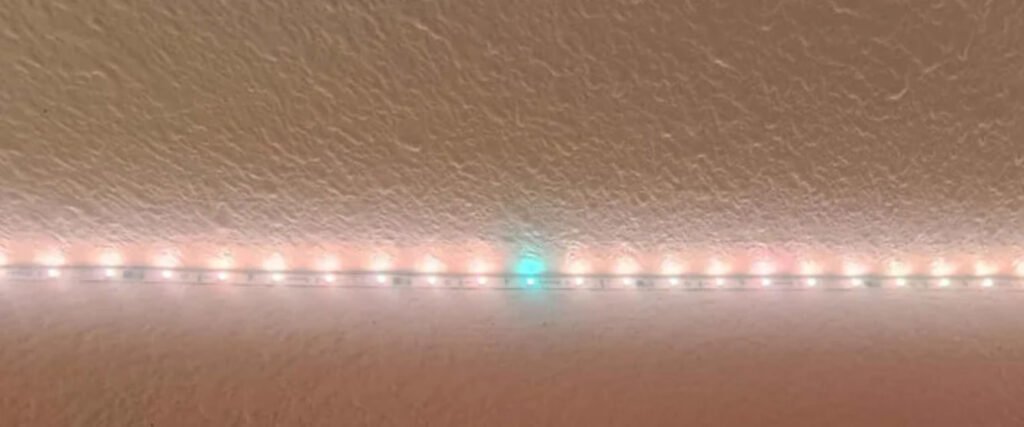
36. Same CCT Looks Different
Symptom
Two strips marked the same color temperature do not look the same.
Likely cause
Different binning and tint tolerance.
How to confirm
Compare supplier, batch, and model.
Fix
Use the same batch for visible continuous runs.
37. Warm White Looks Greenish
Symptom
A warm white strip has a green tint.
Likely cause
DUV/tint deviation rather than nominal CCT.
How to confirm
Compare against a reference strip known to look correct.
Fix
Replace with a tighter-binned product.
38. End Looks Reddish on RGB + White Mix
Symptom
The far end becomes reddish when RGB and white are mixed.
Likely cause
Voltage drop affects green and blue channels earlier than red.
How to confirm
Measure voltage at the far end and compare channel intensity.
Fix
Inject power and reduce run length.
39. Strip Keeps Falling Down
Symptom
The strip peels off after installation.
Likely cause
Poor surface prep, heat, or weak adhesive.
How to confirm
Check surface cleanliness and strip temperature.
Fix
Reinstall on a clean surface, reduce heat, and use clips or profile. Mechanical support is often a better long-term solution than stronger tape alone.
40. One RGB/RGBW Color Is Missing
Symptom
One specific color channel never appears.
Likely cause
Open channel, controller output failure, or segment-level channel break.
How to confirm
Test that color on every section and trace continuity from controller to strip.
Fix
Repair the missing channel path or replace the failed controller output.
41. End of SPI Strip Is Not Lit
Symptom
The addressable strip works at the beginning, but the end remains dark.
Likely cause
Controller pixel limit, wrong pixel setting, data signal loss, or power/data integrity issue.
How to confirm
Check controller pixel count capacity and data direction.
Fix
Set the correct pixel count, confirm data direction, and add power injection if needed. Addressable systems often fail at the far end when pixel settings or data integrity are wrong.
42. Strip Cannot Be Dimmed
Symptom
The strip works, but dimming does not respond.
Likely cause
Wrong dimmer type, non-dimmable driver, or incompatible control method.
How to confirm
Confirm whether the system expects PWM, TRIAC, 0–10V, or another dimming method.
Fix
Match the dimmer, driver, and strip system. Dimming problems almost always trace back to control compatibility.
43. Outdoor Strip Failed After Rain
Symptom
The strip failed after exposure to rain, washing, or condensation.
Likely cause
Water ingress through end caps, cut points, or connectors.
How to confirm
Inspect end seals and any field-made joints for moisture.
Fix
Use the right IP-rated product and seal every field joint properly.
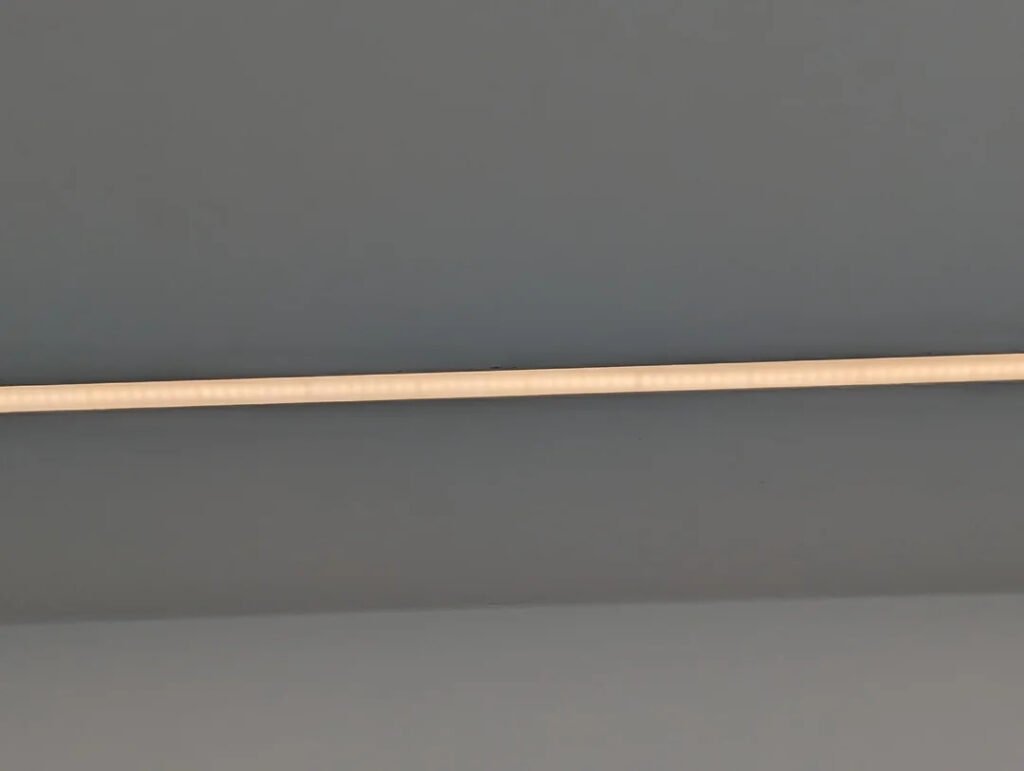
44. Visible LED Dots / Hotspots
Symptom
The light line looks spotty rather than smooth.
Likely cause
Low LED density or a profile/diffuser that is too shallow.
How to confirm
Check LED density and diffuser spacing.
Fix
Use a deeper profile, a higher-density strip, or a COB strip. Higher density and better optical diffusion reduce spotting.
45. Outdoor Connector Fails Intermittently
Symptom
The connector works for a while, then fails, then works again.
Likely cause
Moisture ingress or corrosion.
How to confirm
Open the connector and inspect for water or oxidation.
Fix
Replace it and reseal the joint. In harsh conditions, soldered and sealed joints are usually more reliable than quick connectors.
FAQ About LED Strip Problems
What causes most LED strip problems?
Usually power mismatch, voltage drop, poor wiring, control incompatibility, or installation mistakes.
Why is my LED strip dim at the end?
Usually because of voltage drop, especially on long runs or on 12V systems.
Why does my LED strip flicker?
The most common causes are overloaded power supplies, incompatible dimmers, and weak connectors.
Why will my LED strip not dim properly?
Because the strip, driver, and dimmer may not be compatible with the same dimming method.
Why did my strip fail after I cut it?
It may have been cut outside the correct cut point, or the pad/connector may not be making proper contact.
Final Thoughts
A useful LED strip troubleshooting article should do more than list symptoms.
It should tell the reader what to test first, how to confirm the cause, and which fix is actually worth trying first. That is what makes troubleshooting faster, more professional, and more useful in real installations.